
When a floor plan changes, headcount shifts, or a panel system starts showing its age, facilities teams face the same question: do you reconfigure what you have, repair the parts that are failing, or replace the system outright? The wrong call is expensive in both directions. Replace too early and you scrap furniture with years of life left. Reconfigure a discontinued system and you can spend weeks chasing parts that no longer exist.
This guide breaks down the three options, the criteria that should drive the decision, and the cost, lead time, and downtime trade-offs behind each one. It is written for the person who has to defend the budget line, not sell furniture.
The three options, defined
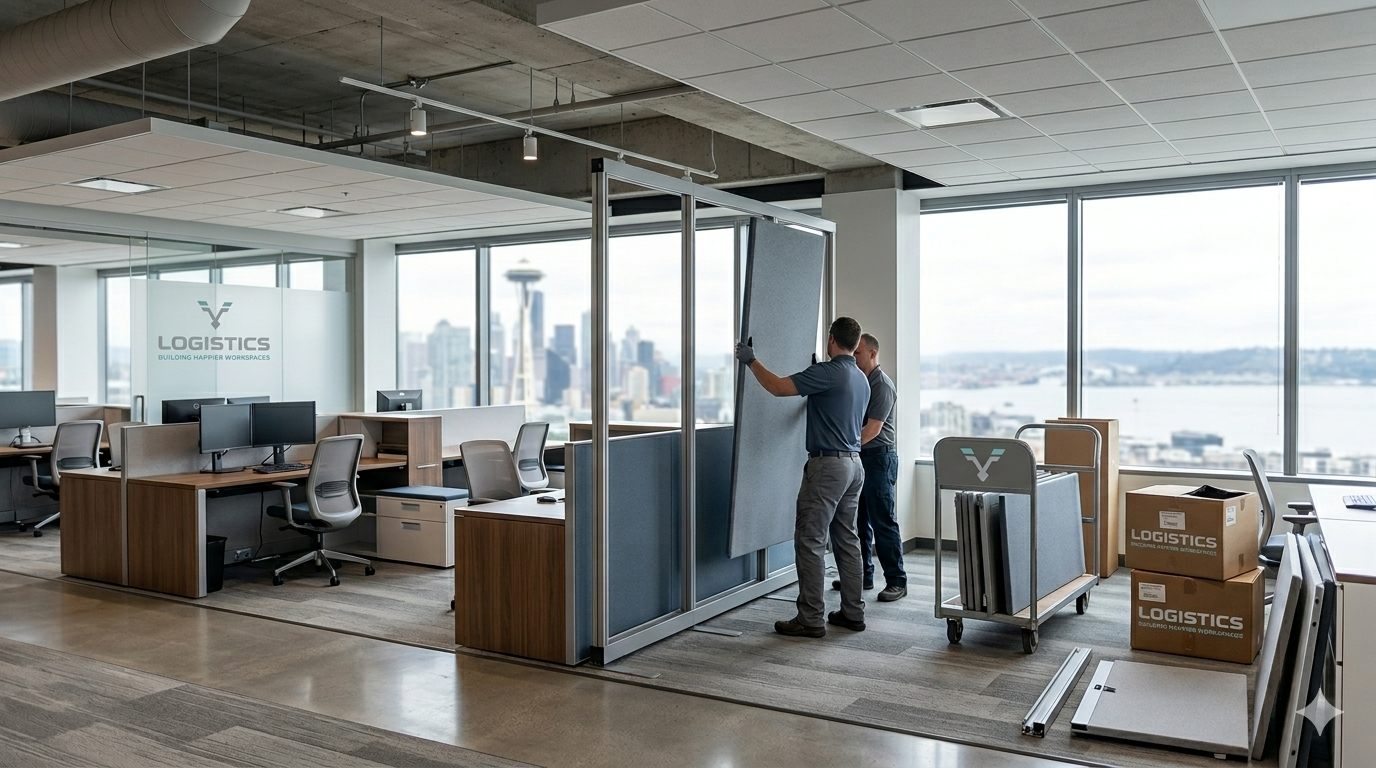
Reconfigure means reusing your existing systems furniture in a new layout. Same panels, worksurfaces, and components, rearranged to fit a new footprint, a new department structure, or a higher (or lower) density.
Repair means keeping the current layout and fixing the components that have failed or worn out: panel fabric, worksurfaces, glides, locks, drawer mechanisms, or the electrical and data raceways inside the panels.
Replace means removing some or all of the existing furniture and installing different product, whether that is new systems furniture, refurbished inventory, or a different manufacturer’s line.
Most real projects are a mix. A typical reconfiguration includes repairing damaged components as they come down, and replacing a percentage that cannot be salvaged. The goal is not to pick one label. It is to spend on the right combination.
The decision framework
Five factors decide which option wins. Run a project through all five before committing.
1. Parts availability and system age
This is the first gate. If your panel system is current and the manufacturer still stocks parts, reconfigure and repair are both live options. If the system is discontinued and parts are scarce, you are often forced toward replacement whether you wanted it or not, because a reconfiguration that cannot source connectors, brackets, or matching panels stalls mid-install.
Before any decision, identify the manufacturer and product line. Systems furniture is engineered to connect within its own family, and components rarely cross between lines or even between generations of the same line.
2. Condition of the existing furniture
Worksurfaces and panels that are structurally sound but cosmetically dated are strong reconfigure candidates. Furniture with cracked panels, delaminating surfaces, failed frames, or water and impact damage moves toward replacement, because repairing structure costs more than the part is worth.
3. Cost per workstation
Compare the all-in cost per station for each path: reconfiguration labor plus repair parts, versus refurbished product, versus new. Reconfiguration usually wins on raw cost, but only when parts are available and condition is good. Once you are buying significant replacement components, the gap between “reconfigure” and “replace with refurbished” narrows fast.
4. Lead time and downtime tolerance
New systems furniture can carry long manufacturing lead times, sometimes several weeks or more depending on the line and finish. Reconfiguration uses inventory you already own, so it can move faster, assuming parts are in hand. If you have a hard move-in or lease-turnover date, lead time can override cost as the deciding factor.
5. Where the business is going
A reconfiguration that matches your current layout is wasted if you are about to change how people work. Shifting to hoteling, lowering panel heights for collaboration, adding power and data density for more devices, or meeting accessibility and code requirements can all justify replacement even when the existing furniture is otherwise fine.
When to reconfigure
Reconfigure when the system is current or well-stocked for parts, the components are in good condition, and the change is about layout rather than product. Common triggers:
- A department reorg that regroups teams without changing headcount much
- A space that needs higher density to fit growth into the same square footage
- A consolidation where two floors collapse into one
- A refresh where new fabric or worksurfaces modernize the look without a full swap
A reconfiguration is an install project, not a furniture purchase. It depends on accurate field measurement, a current floor plan, and a crew that can disassemble, move, and rebuild systems furniture without losing or damaging components. The savings are real, but they evaporate if the install is done without as-built drawings and a parts inventory.
When to repair
Repair when the layout still works and the problem is isolated to components. Systems furniture fails in predictable places:
- Panels: torn or stained fabric, damaged trim, failed connectors
- Worksurfaces: delamination, edge damage, sagging from overload
- Mechanisms: sticking drawers, failed locks, worn glides and levelers
- Power and data: loose or failed raceway components, broken receptacles, daisy-chain issues inside panels
Repair keeps capital low and avoids downtime, since most fixes happen in place or with a single station offline. The limit is parts: if the line is discontinued, even a small repair can become a sourcing project, which is the point where repair quietly turns into a replacement decision.
This is also where “office furniture repair” requests usually start in Portland, Seattle, and Boise: a handful of stations degrade, and the team wants them functional again without a capital project.
When to replace
Replace when one or more of these is true:
- The system is discontinued and parts cannot be reliably sourced
- The furniture is structurally damaged, not just worn
- The new way of working needs something the current product cannot deliver (lower panels, more power and data, sit-stand capability, accessibility compliance)
- The cost to reconfigure and repair approaches the cost of refurbished or new product
Replacement does not always mean new. Refurbished and used office cubicles are a middle path: lower cost than new, faster than long manufacturing lead times, and often available in quantity for teams scaling up. The trade-off is finish consistency and warranty, so used product suits high-growth or budget-constrained projects more than executive or client-facing floors.
New vs. used cubicles
Choose new when you need warranty coverage, specific finishes, long-term standardization across many floors, or current ergonomic and power features. Choose used or refurbished when speed and cost matter more than uniformity, or when you are filling a temporary or fast-growing space. Many offices mix the two: new on visible floors, refurbished in back-office areas.
Reconfigure vs. repair vs. replace, at a glance
| Factor | Reconfigure | Repair | Replace |
|---|---|---|---|
| Best when | Layout changes, system in production | Isolated component failures | Discontinued system, structural damage, new needs |
| Relative cost | Low to moderate | Lowest | Highest (new) / moderate (refurbished) |
| Lead time | Fast if parts on hand | Fast | Long for new, moderate for refurbished |
| Downtime | Moderate (install window) | Minimal | Highest |
| Main risk | Parts no longer available | Repair turns into sourcing project | Over-spending on serviceable furniture |
| Sustainability | Reuses existing assets | Extends asset life | Generates disposal unless donated or resold |
What execution actually involves
Whichever path you pick, the outcome depends on the install, not the decision. A reconfiguration or replacement that goes well includes:
- Field verification: measuring the existing furniture and space against the floor plan before anything moves, so the layout that gets drawn is the layout that gets built
- Parts inventory: confirming connectors, brackets, and trim are accounted for before disassembly, so the rebuild does not stall
- Sequencing: staging the work so occupied areas keep functioning while the install moves zone by zone
- Power and data coordination: aligning the furniture electrical work with the building’s electrical and IT scope so stations are live on day one
- Punch list and closeout: walking every station for level, stability, drawer function, and power before sign-off
This is the difference between furniture that is “installed” and furniture that is ready to work in. It is also why reconfiguration savings depend on a crew that knows systems furniture, not general labor. You can see how this scope comes together on our office furniture installation page, and how layout decisions connect to office space planning.
Local considerations: Portland, Seattle, and Boise
Portland
Portland’s mix of older downtown and Pearl District buildings means tighter freight elevators, narrow loading windows, and floors that were not designed for today’s power and data density. That makes reconfiguration attractive (less new product to move in) but raises the importance of field verification, since older floor plates rarely match the drawings. Office furniture repair requests here often come from established offices keeping serviceable systems running rather than replacing them.
Seattle
Seattle’s tenant-improvement-heavy market and growth-driven moves push more teams toward replacement and new or refurbished cubicles, especially when a space change comes with a layout change. Density and power requirements tend to be higher, which can tip an otherwise serviceable system toward replacement when the existing product cannot carry the load.
Boise
Boise’s faster growth often means scaling headcount into existing or newly leased space, where reconfiguration and used cubicles offer the quickest, lowest-cost way to add stations. Reconfiguring furniture you already own, supplemented with refurbished inventory, frequently beats waiting on new-product lead times when the priority is getting people seated.
Frequently asked questions
Is it cheaper to reconfigure or replace office cubicles? Reconfiguring is usually cheaper, because it reuses furniture you already own and only adds labor plus a small percentage of replacement parts. The exception is a discontinued system: once you are sourcing scarce parts, the cost can approach replacing with refurbished product.
Can office cubicles and systems furniture be repaired? Yes. Panels, worksurfaces, glides, locks, drawers, and in-panel power components are all repairable while the manufacturer still supplies parts. The constraint is almost always parts availability for the specific product line, not whether the repair is technically possible.
How long does a furniture reconfiguration take? It depends on station count, parts availability, and whether the space is occupied. Reconfigurations move faster than new-furniture projects because they avoid manufacturing lead times, as long as all components are inventoried before disassembly.
Are used office cubicles worth it? For fast-growing or budget-conscious offices, yes. Used and refurbished cubicles cost less than new and avoid long lead times. The trade-offs are finish consistency and warranty, so many teams use them in back-office areas and reserve new product for client-facing space.
What’s the first step in deciding? Identify the manufacturer and product line of your existing furniture and confirm whether parts are still available. That single fact decides whether reconfigure and repair are even on the table, or whether replacement is the realistic path.
The bottom line
Reconfigure when the system is current and the change is about layout. Repair when failures are isolated and parts are available. Replace when the system is discontinued, the furniture is structurally done, or the way you work has outgrown the product. Most projects use all three, and the budget is won or lost on getting the proportions right and executing the install cleanly.
If you are weighing these options for a space in Portland, Seattle, or Boise, our team can field-verify your existing furniture and lay out the reconfigure, repair, and replace mix before you commit budget. Start with office furniture installation and systems.